



💻 What is MS Office? A Complete Guide for Students
Thank you for reading this post, don't forget to subscribe!Imagine this…
Your teacher asks the entire class to prepare a project.
One student spends 5 hours writing everything by hand.
Another student opens Microsoft Word, types the project in just 30 minutes, adds beautiful headings, inserts pictures, and prints a professional-looking report.
Which project do you think will impress the teacher more?
Most probably… the second one!
This is the power of Microsoft Office (MS Office).
In today’s digital world, MS Office isn’t just software—it’s a life skill. Whether you’re a school student, college student, job seeker, or office employee, learning MS Office can save time, improve your work, and open new career opportunities.
Let’s explore everything you need to know about MS Office in a simple and interesting way.
🤔 What is MS Office?
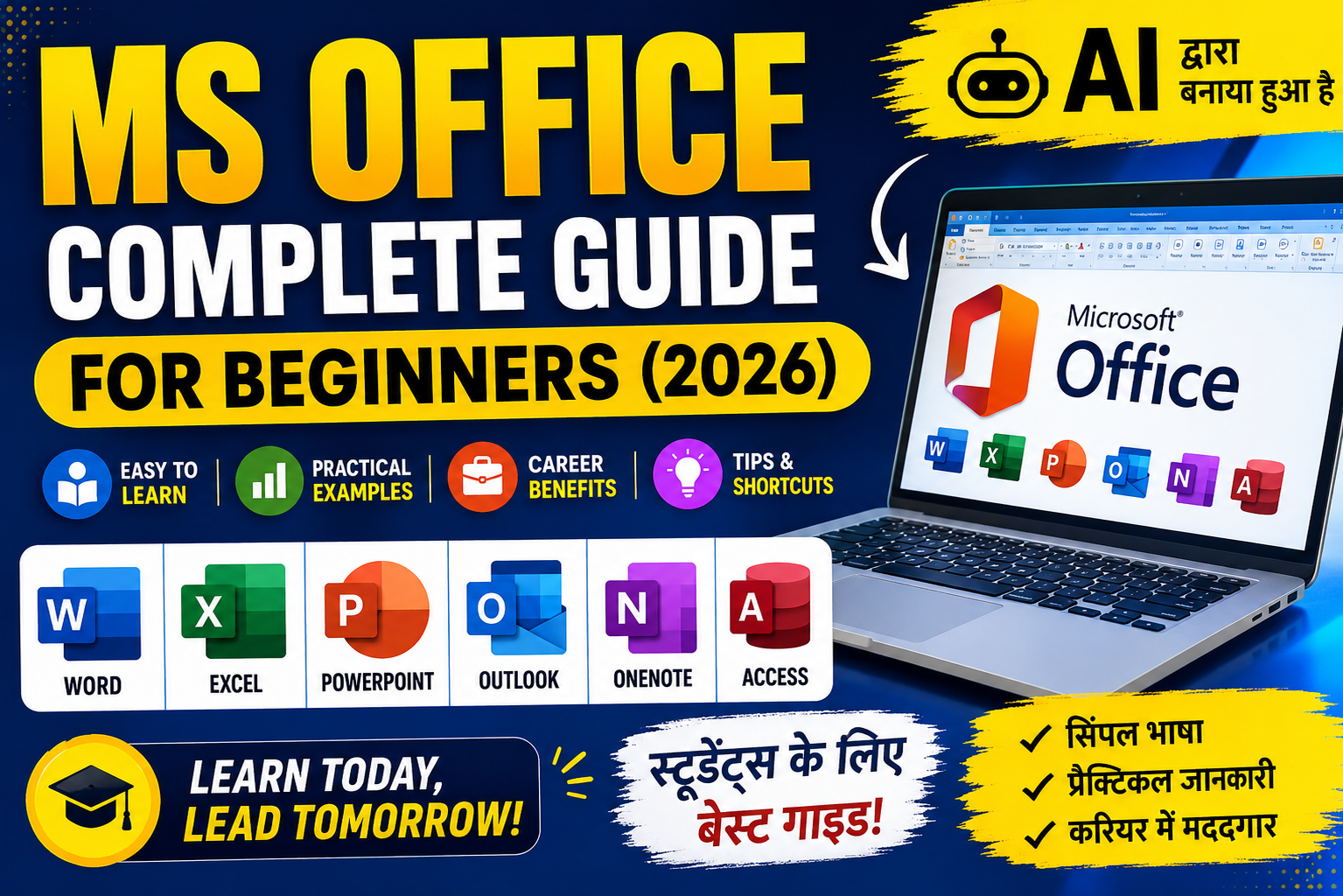
Microsoft Office (MS Office) is a collection of computer applications developed by Microsoft that helps people perform everyday tasks like:
📝 Writing documents
📊 Creating spreadsheets
📈 Making presentations
📧 Sending emails
📚 Organizing notes
🗂 Managing data
Today, MS Office is used in schools, colleges, offices, banks, hospitals, businesses, and government departments across the world.
🏆 Why Should Every Student Learn MS Office?
Think about your daily student life.
You need to:
✔ Write assignments
✔ Make presentations
✔ Prepare projects
✔ Create resumes
✔ Analyze marks
✔ Organize notes
MS Office helps you do all of these easily.
Even if you don’t have a job today, learning MS Office now will help you in the future.
📦 Applications Included in MS Office
Microsoft Office is not just one program.
It is a complete package containing several useful applications.
📝 1. Microsoft Word
Microsoft Word is the world’s most popular word-processing software.
You can use it for:
✅ School Assignments
✅ Letters
✅ Projects
✅ Resumes
✅ Certificates
✅ Books
Amazing Features
✔ Text Formatting
✔ Tables
✔ Images
✔ Shapes
✔ Page Borders
✔ Spell Check
✔ Mail Merge
✔ Templates
Did You Know?
Many schools now accept typed assignments because they look more professional than handwritten work.
📊 2. Microsoft Excel
If numbers scare you…
Excel can become your best friend.
Excel helps you:
📈 Calculate Marks
💰 Manage Budget
📅 Attendance Sheets
📦 Inventory
📊 Charts
📉 Graphs
Popular Excel Formulas
SUM()
AVERAGE()
IF()
COUNT()
MAX()
MIN()
VLOOKUP()
XLOOKUP()
Fun Fact
Big companies use Excel to manage millions of records every day.
🎨 3. Microsoft PowerPoint
Want to impress your teacher?
PowerPoint helps you create beautiful presentations.
It allows you to add:
🎥 Videos
🖼 Pictures
✨ Animations
📊 Charts
🎵 Audio
Professional presentations can be created within minutes.
📧 4. Microsoft Outlook
Outlook helps users:
📨 Send Emails
📅 Schedule Meetings
👥 Save Contacts
📌 Manage Calendar
Every office employee uses email daily.
Learning Outlook gives you a professional advantage.
🗃 5. Microsoft Access
Access is a Database Management System.
It stores large amounts of information safely.
Used in:
🏥 Hospitals
🏫 Schools
🏢 Companies
🏛 Government Offices
📒 6. Microsoft OneNote
Think of OneNote as your digital notebook.
You can:
✍ Write Notes
📷 Add Pictures
🎤 Record Lectures
📚 Organize Study Material
Perfect for students preparing for exams.
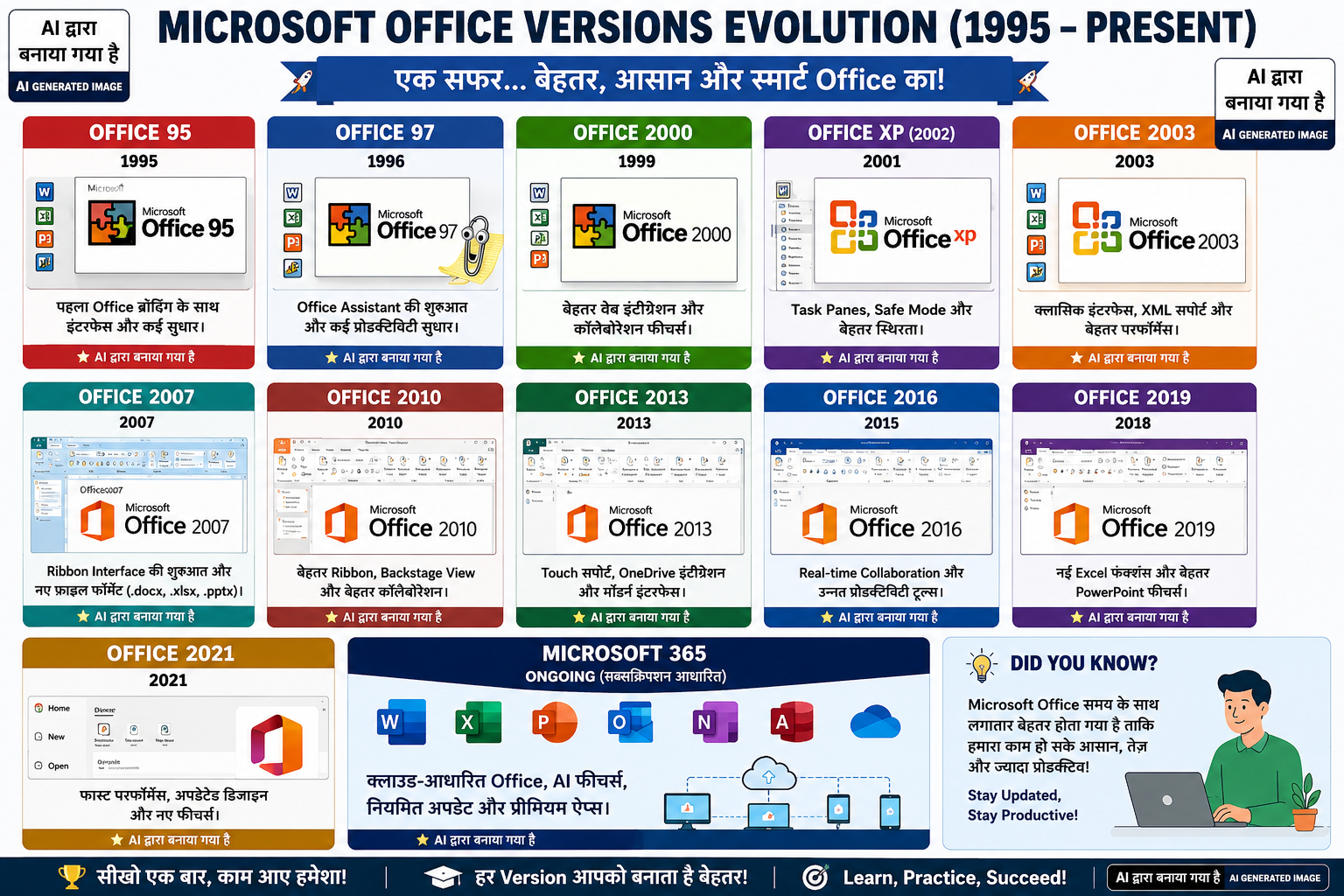
Microsoft Office has evolved significantly over the years. Each new version introduced better features, improved performance, enhanced security, and a more user-friendly experience. Below is a timeline of the most popular Microsoft Office versions released over the years.
फिर यह टेबल जोड़ो:
| Version | Release Year | Highlights |
|---|---|---|
| Office 95 | 1995 | First version with the Office 95 branding. |
| Office 97 | 1996 | Introduced the Office Assistant and many productivity improvements. |
| Office 2000 | 1999 | Better web integration and collaboration features. |
| Office XP (2002) | 2001 | Task panes, Safe Mode, and improved stability. |
| Office 2003 | 2003 | Classic interface, XML support, and better performance. |
| Office 2007 | 2007 | Introduced the Ribbon Interface and new file formats (.docx, .xlsx, .pptx). |
| Office 2010 | 2010 | Improved Ribbon, Backstage View, and better collaboration. |
| Office 2013 | 2013 | Touch support, OneDrive integration, and a modern interface. |
| Office 2016 | 2015 | Real-time collaboration and enhanced productivity tools. |
| Office 2019 | 2018 | New Excel functions and improved PowerPoint features. |
| Office 2021 | 2021 | Faster performance, updated UI, and new features. |
| Microsoft 365 | Ongoing | Cloud-based Office with AI features and regular updates. |
💡 “Did You Know?” Box
Did You Know?
Microsoft Office 2003 and Office 2007 were among the most popular versions in schools, colleges, and cyber cafés across India. Today, Microsoft 365 is the latest and most widely recommended version because it receives continuous updates, cloud integration, and AI-powered features.
📌 Interesting Fact
Many schools, cyber cafés, and offices in India used Microsoft Office 2003 for years because it worked smoothly even on low-configuration computers. It became one of the most widely used Office versions of its time.
इस सेक्शन को जोड़ने से तुम्हारी पोस्ट और भी जानकारीपूर्ण लगेगी, खासकर उन पाठकों के लिए जो पुराने और नए MS Office वर्ज़नों के बारे में जानना चाहते हैं।
🌍 Where is MS Office Used?
Almost everywhere.
✔ Schools
✔ Colleges
✔ Banks
✔ Hospitals
✔ Railway Offices
✔ Government Departments
✔ Private Companies
✔ Startups
✔ Freelancing
✔ Online Businesses
⭐ Top Benefits of Learning MS Office
✅ Saves Time
Instead of doing work manually, MS Office helps you finish tasks faster.
✅ Makes Work Look Professional
Beautiful documents leave a better impression.
✅ Helps in Jobs
Many companies ask candidates:
“Do you know MS Office?”
If your answer is “Yes,” your chances improve.
✅ Improves Productivity
You can complete work in less time.
✅ Builds Confidence
Computer skills make students feel more confident in school and at work.
🎯 Essential MS Office Skills Every Student Should Learn
✔ Fast Typing
✔ File Management
✔ Keyboard Shortcuts
✔ Formatting Documents
✔ Tables
✔ Charts
✔ Excel Formulas
✔ PowerPoint Design
✔ Email Writing
✔ Printing Documents
⌨ Must-Know Shortcut Keys
| Shortcut | Function |
|---|---|
| Ctrl + C | Copy |
| Ctrl + V | Paste |
| Ctrl + X | Cut |
| Ctrl + Z | Undo |
| Ctrl + Y | Redo |
| Ctrl + S | Save |
| Ctrl + P | |
| Ctrl + A | Select All |
| Ctrl + B | Bold |
| Ctrl + I | Italic |
Learning shortcuts can save hours every month.
🚀 How to Learn MS Office Faster
1️⃣ Practice every day.
2️⃣ Create your own projects.
3️⃣ Watch tutorial videos.
4️⃣ Learn shortcut keys.
5️⃣ Practice Excel formulas.
6️⃣ Make PowerPoint presentations.
7️⃣ Don’t fear making mistakes.
💼 Career Opportunities After Learning MS Office
Knowing MS Office can help you apply for jobs like:
👨💼 Office Assistant
📊 Data Entry Operator
🧾 Accountant
🧑🏫 Teacher
💻 Computer Operator
📈 Sales Executive
📋 Receptionist
🏢 Administrative Assistant
🤩 Did You Know?
Microsoft Office is used by hundreds of millions of people worldwide, making it one of the most popular productivity software suites ever created.
❓Frequently Asked Questions
Is MS Office easy to learn?
Yes. Anyone can learn it with regular practice.
Which application should I learn first?
Start with:
- Microsoft Word
- Microsoft Excel
- Microsoft PowerPoint
Is MS Office useful for students?
Absolutely.
It helps students create assignments, projects, presentations, and resumes.
Can I get a job after learning MS Office?
MS Office alone doesn’t guarantee a job, but it’s a valuable skill that many employers expect and can strengthen your job applications.
🎓 Final Thoughts
Technology is becoming a part of every career. Learning Microsoft Office is one of the smartest investments students can make in their future.
Start with Word, practice Excel, master PowerPoint, and gradually explore the other applications.
Remember:
“The more you practice today, the more opportunities you’ll have tomorrow.”
So don’t wait.
Open your computer, start learning MS Office, and take one step closer to becoming digitally skilled.